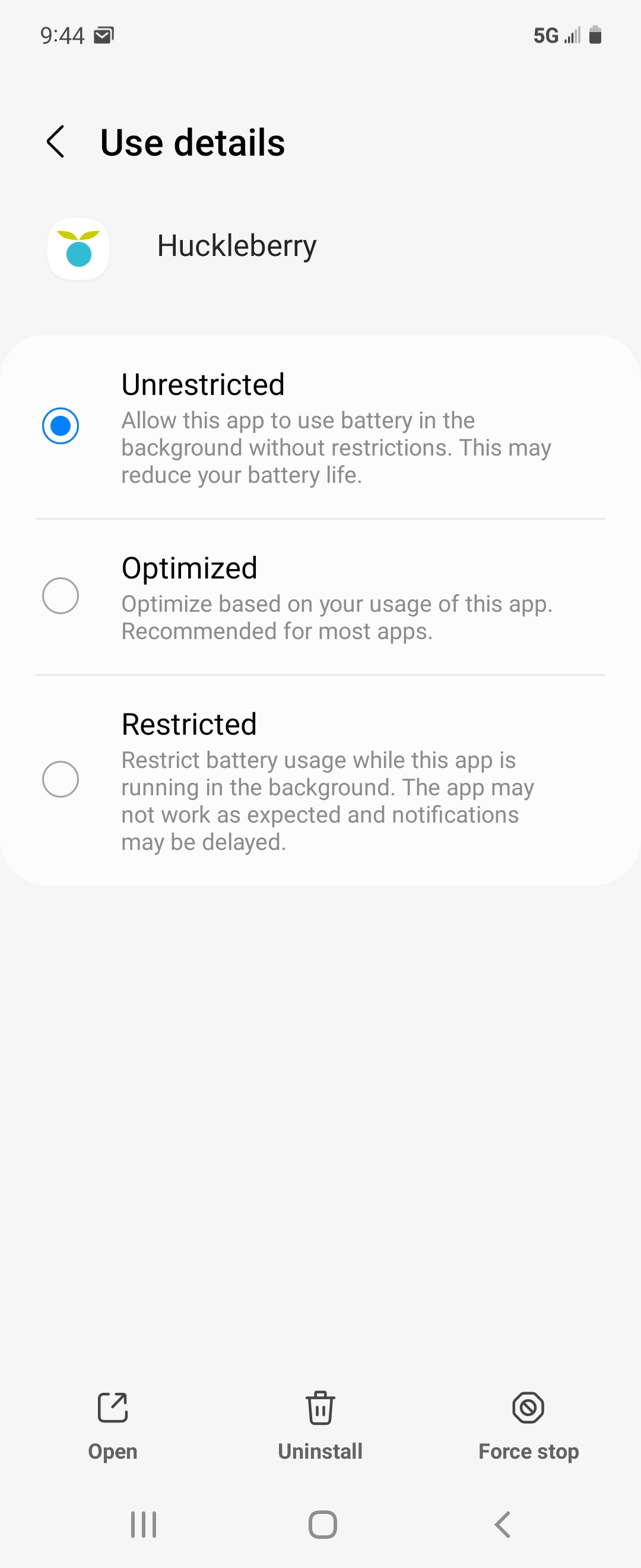
You may have noticed delayed notifications on your Android device. This delayed notification issue could be due to how the recent version of Android works to improve battery optimization. In an effort to better manage your battery life, the system tends to force what it considers “low priority” apps to go to sleep. If your Android sees a certain app that way, it will hibernate the app and its notifications.
If you are experiencing delayed notifications, there are a few things you can do. You can enable unrestricted battery use by:
- Long pressing on the app shortcut
- Go to App info
- Then battery
- Enable unrestricted battery use